Best Cheats | Click & Play with cheats 😈

ZAIM – WARDOGS CHAIR

ZAIM – WARDOGS CHAIR

Price range: $7.99 through $44.99

ZAIM WARDOGS CHEATS - AIMBOT, ESP, ADVANCED UAV AND MORE

Take full control of every WARDOGS match with ZAIM, HyperForce’s undetected WARDOGS cheat featuring a precision aimbot, full player ESP, and an advanced UAV radar system. ZAIM is built for WARDOGS’ 100-player, three-team Control Zone battles, giving you complete map awareness, reliable aimbot target acquisition, and full ESP customization across the game’s destructible battlefield. Whether you’re locking onto enemies with the aimbot, tracking players with ESP, or watching the radar for incoming threats, ZAIM gives you total control and dominance in every WARDOGS match you play.

🎯 AIMBOT

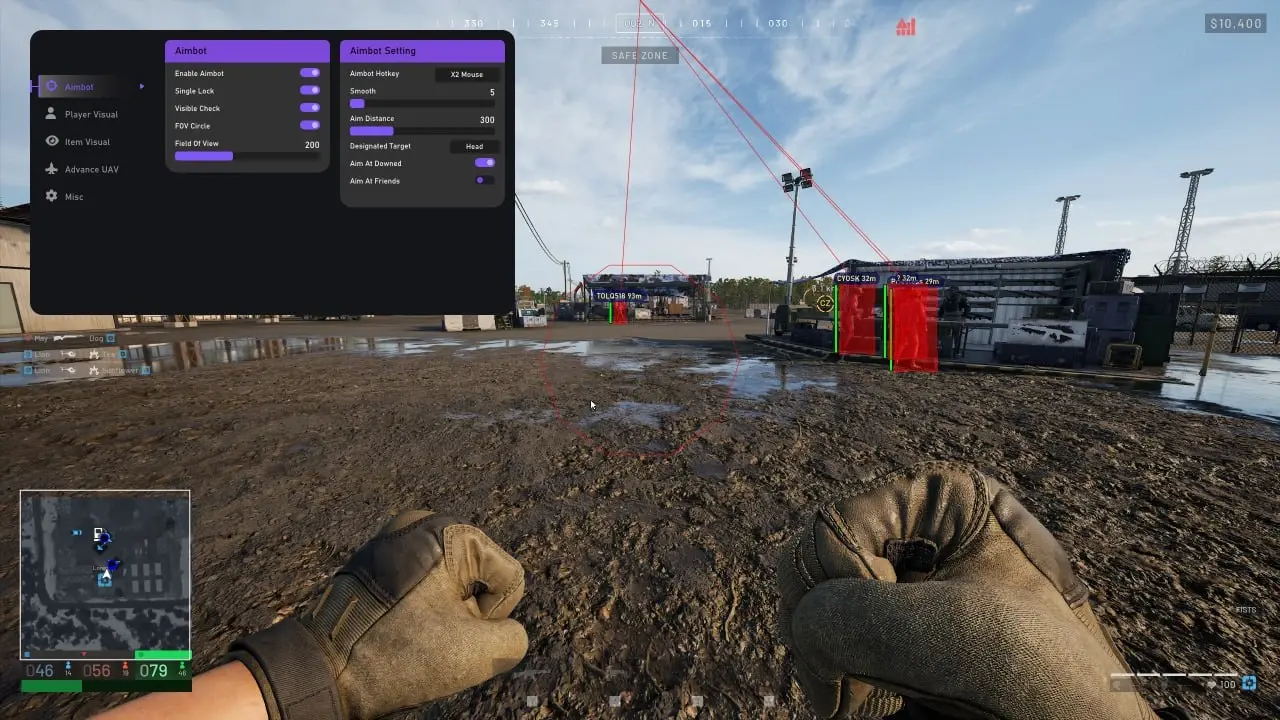
  • Enable Aimbot – Turns the aimbot feature on or off.
  • Aimbot Hotkey – Assign a key to activate the aimbot.
  • Single Lock – Locks the aim onto a single selected target.
  • Visible Check – Only targets players that are currently visible.
  • FOV Circle – Displays the active aim field of view on screen.
  • Field of View – Adjust the area in which targets can be detected.
  • Smooth – Controls how smoothly the aim moves towards a target.
  • Aim Distance – Set the maximum distance at which targets can be selected.
  • Designated Target – Choose the preferred type of target to aim at.
  • Aim At Downed – Allows the aimbot to target downed players.
  • Aim At Friends – Allows the aimbot to target players on your friends list.


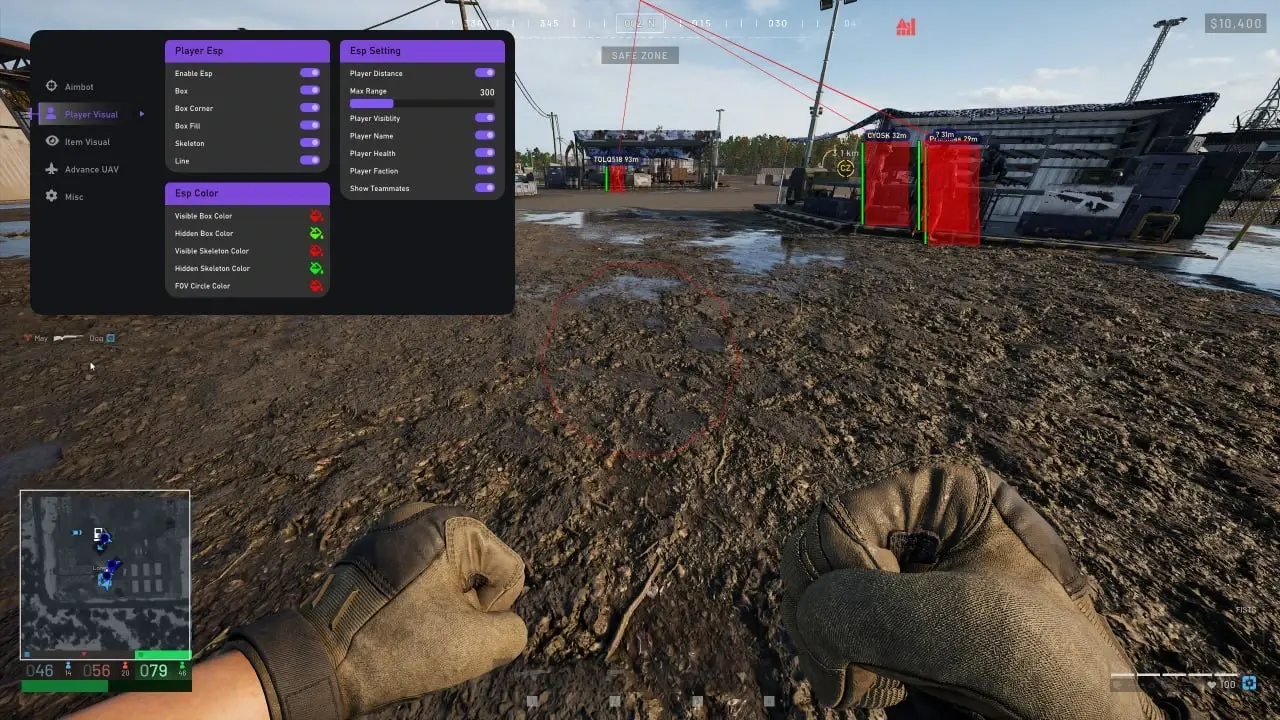
👤 PLAYER ESP

  • Enable ESP – Turns Player ESP on or off.
  • Box Corner – Displays a corner-style box around detected players.
  • Box Fill – Adds a filled background inside the player box.
  • Skeleton – Displays the player’s skeleton structure.
  • Line – Draws a visual line towards detected players.
  • Player Distance – Shows how far away each player is.
  • Max Range – Set the maximum distance at which Player ESP is displayed.
  • Player Visibility – Shows whether a player is currently visible or hidden.
  • Player Name – Displays the player’s in-game name.
  • Player Health – Shows the player’s current health information.
  • Player Faction – Displays the player’s faction or team.
  • Show Teammates – Enables ESP information for friendly players.

ESP Colours

  • Visible Box Color – Customise the box colour for visible players.
  • Hidden Box Color – Customise the box colour for players behind cover.
  • Visible Skeleton Color – Customise the skeleton colour for visible players.
  • Hidden Skeleton Color – Customise the skeleton colour for hidden players.
  • FOV Circle Color – Customise the colour of the aim FOV circle.


📡 ADVANCED UAV / RADAR

  • Enable Radar – Turns the radar feature on or off.
  • Radar Color By Team – Uses different colours to identify different teams.
  • Radar Border – Shows or customises the border around the radar.
  • Radar Draw Team – Displays friendly players on the radar.
  • Radar Size – Adjust the overall size of the radar.
  • Radar X – Adjust the horizontal position of the radar.
  • Radar Y – Adjust the vertical position of the radar.
  • Radar Distance Radius – Set the distance range displayed on the radar.
  • Local – Displays your own position on the radar.
  • Team – Displays friendly players and teammates.
  • Visible Enemies – Displays enemies that are currently visible.
  • Invisible Enemies – Displays enemies that are not currently visible.


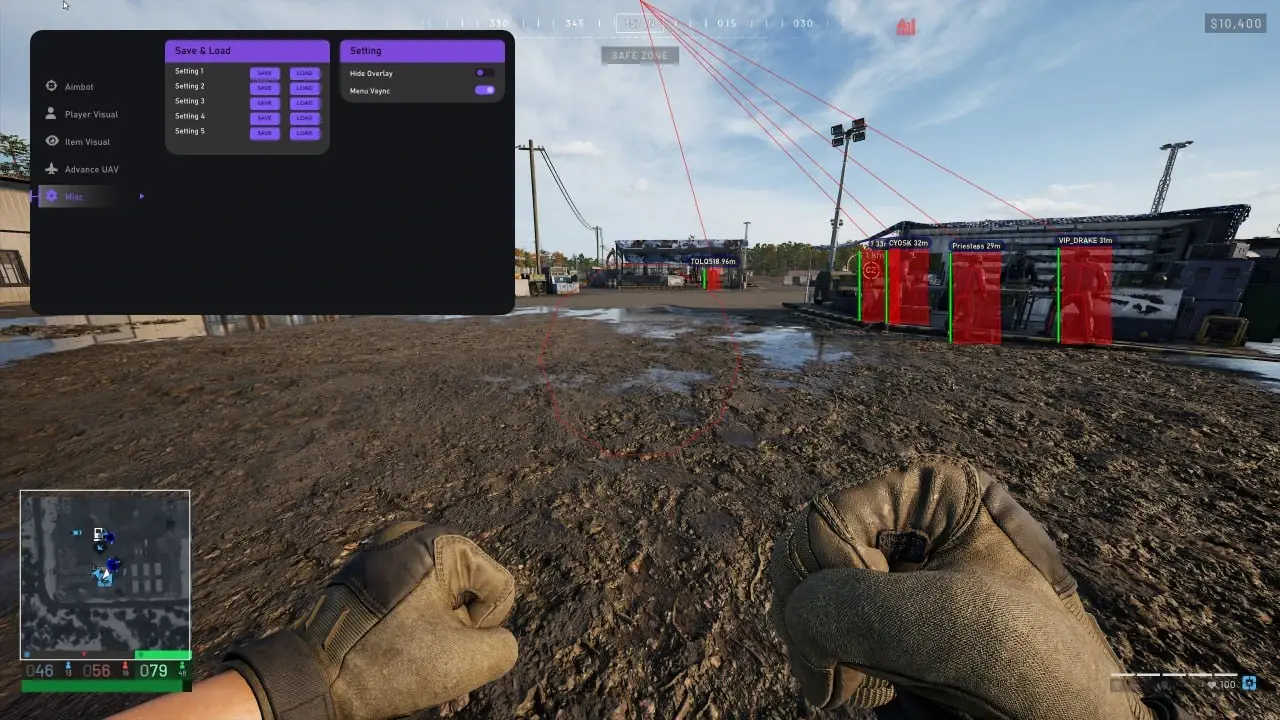
⚙️ SETTINGS & CONFIGS

  • Save & Load Settings – Save your preferred settings and load them whenever needed.
  • 5 Config Slots – Store up to five different configuration profiles.
  • Hide Overlay – Quickly hide the on-screen overlay.
  • Menu VSync – Enable or disable vertical synchronisation for the menu.
  • COMPATIBILITY

    • Controller Support – Works with AntiMicroX and JoyToKey.

    • Processor Support – Compatible with Intel and AMD/CPUs.

    • Operating System – Support Windows 10-11 / 22h2-25H2.

    • Spoofer – Not Included. We highly recommend purchasing a separate spoofer. You can find one here: HyperForce Spoofers